For presidents, treasurers and other approvers
Approve your club's claims with its money in view.
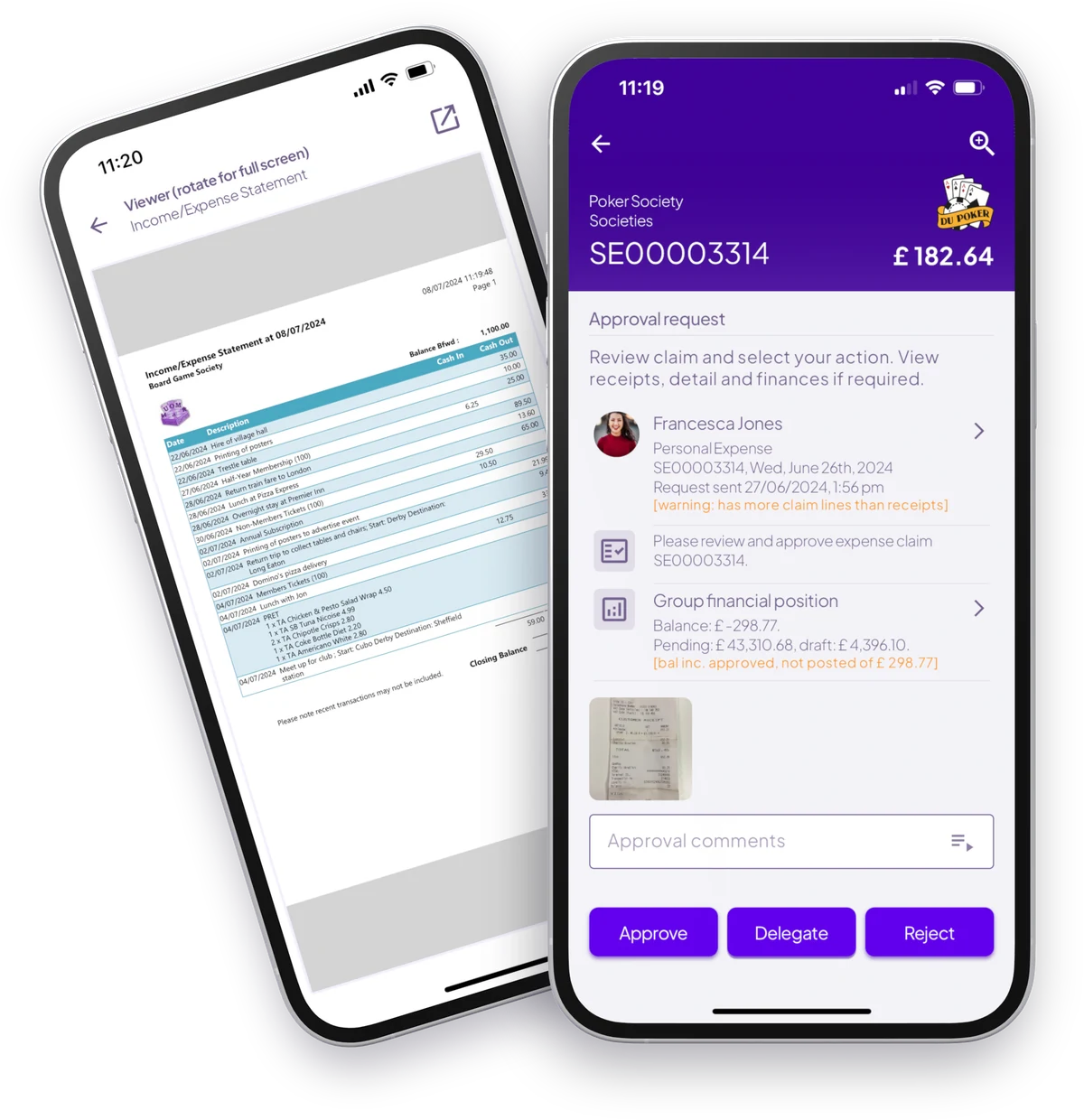
You use the same app as every other member. Because you hold a committee role, you also get approval requests and your club's income and expenditure.
Approvals
From notification to decision
-
1
The request arrives
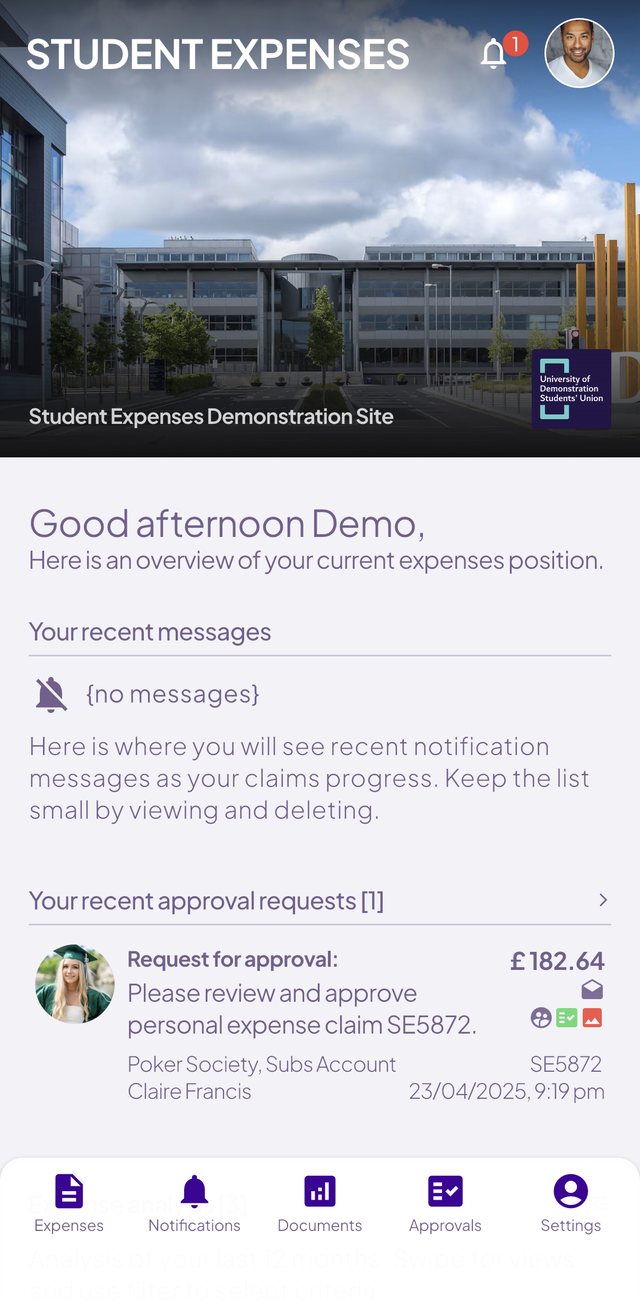
You get a notification, and the request shows on your home screen and in your approvals list.
-
2
Everything on one screen
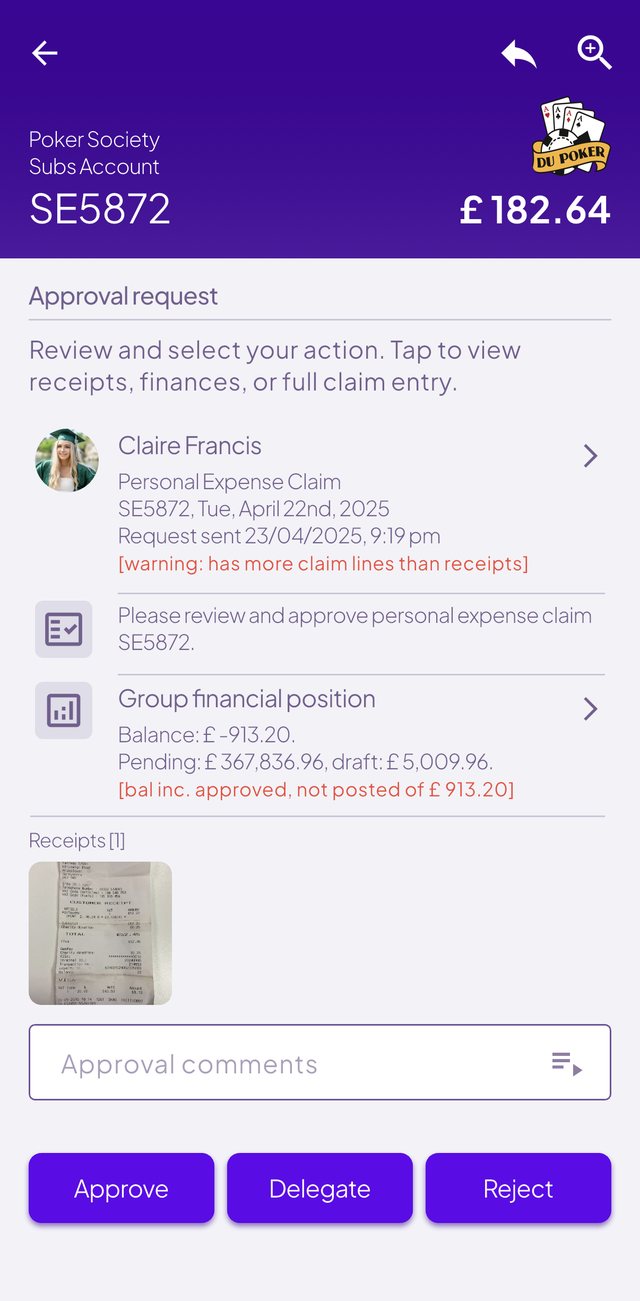
Who's claiming, the receipts, your club's balance and pending spend, and warnings such as more claim lines than receipts.
-
3
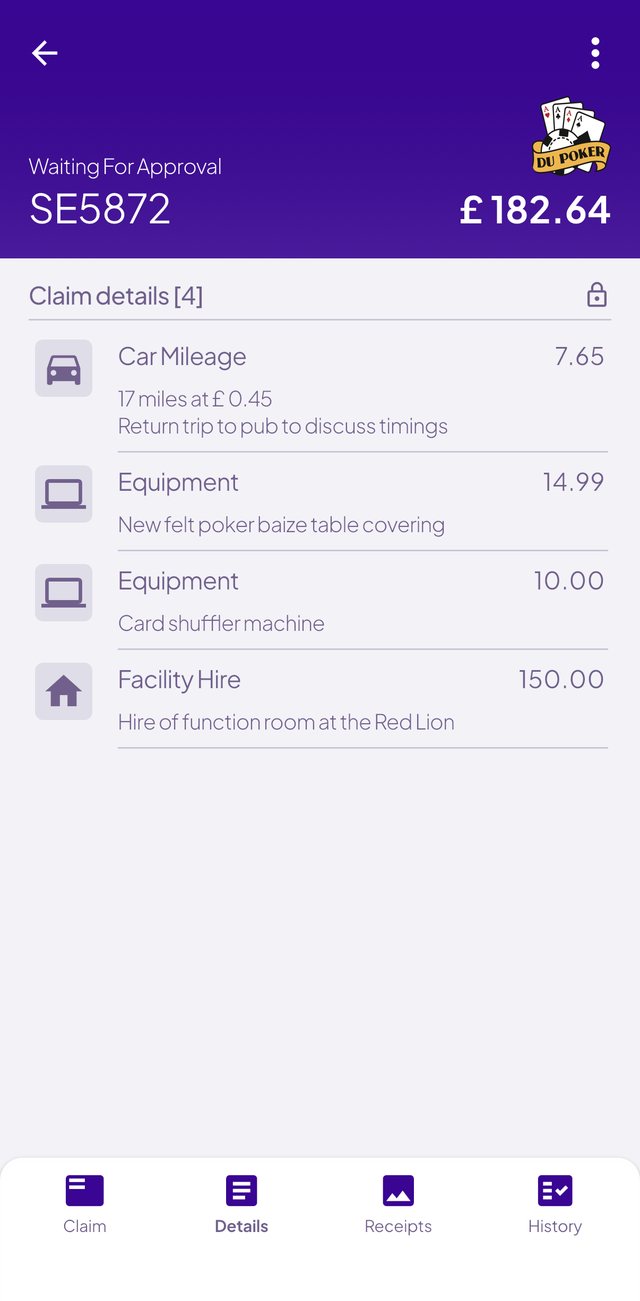
Check the detail
Each line shows what it was for, exactly as the student entered it, with receipts attached.
-
4
Approve, delegate or reject
Add a comment for the student. If your SU uses more than one level, it moves on to the next approver.
Club finances
Know what your club can spend.
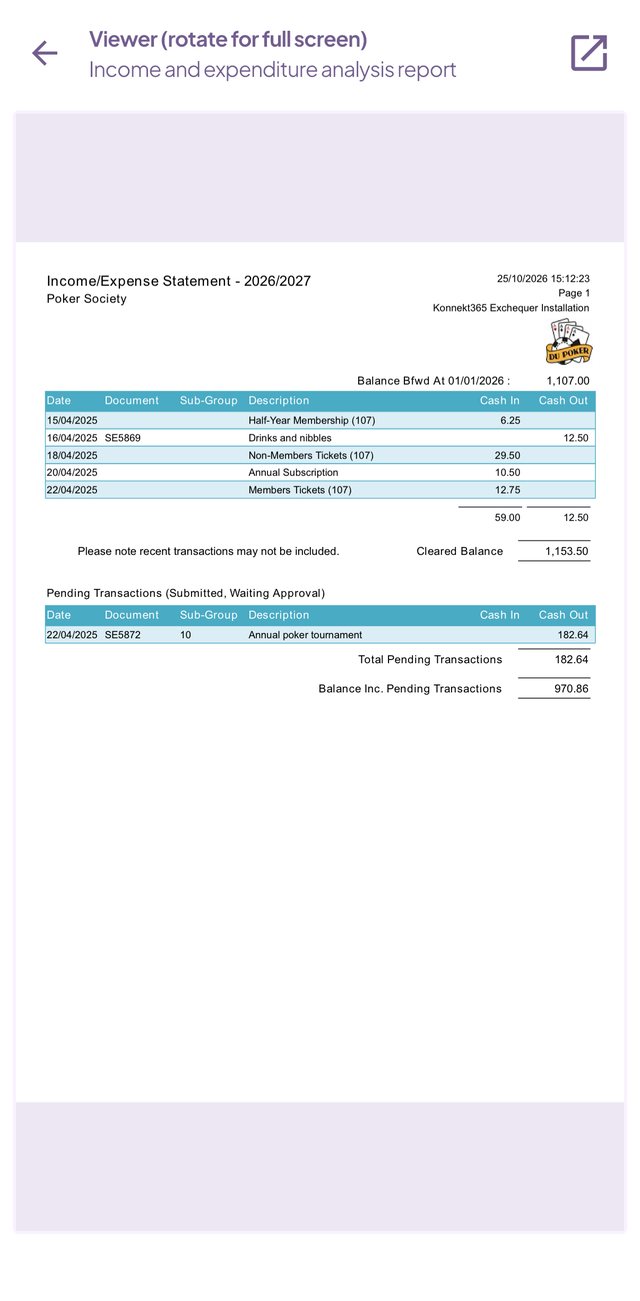
Open your club's report while you approve a claim, or any time from the app menu. The figures come live from the SU's finance system, not a spreadsheet, and are normally visible to presidents, treasurers and SU staff only.
- Full income and expenditure for your club or society
- Every transaction, not just expenses, pulled live from the finance system
- A pending claims area, so you can see what's coming
- The current year and the two years before it
- An optional balances report: a summary across every group you're responsible for